

This guide will show you how to easily book services and manage your bookings on Zonar. Zonar is a service marketplace app in Malaysia that connects users with nearby service providers, known as “Experts.” From yoga instructors to plumbers, cleaning services to handymen, Zonar offers a wide range of services to cater to various needs.
Chat with an Expert:
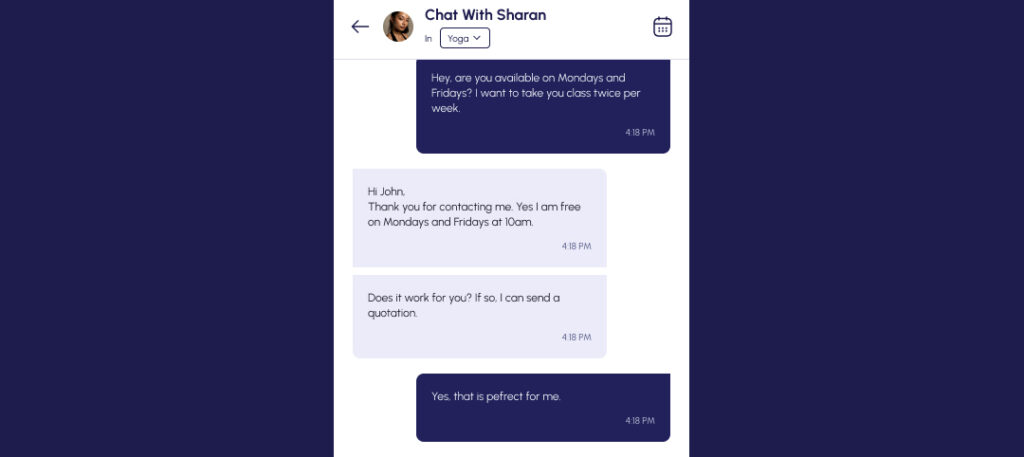
- Browse and select the service provider you’re interested in from our list of Experts.
- Discuss the services available and their rates with them.

- Once you have found the right Expert for you, you may send them a “Request to Hire”.
- Alternatively, the Expert might send you a “Request To Hire” first.

Requesting to Hire (Making Bookings):
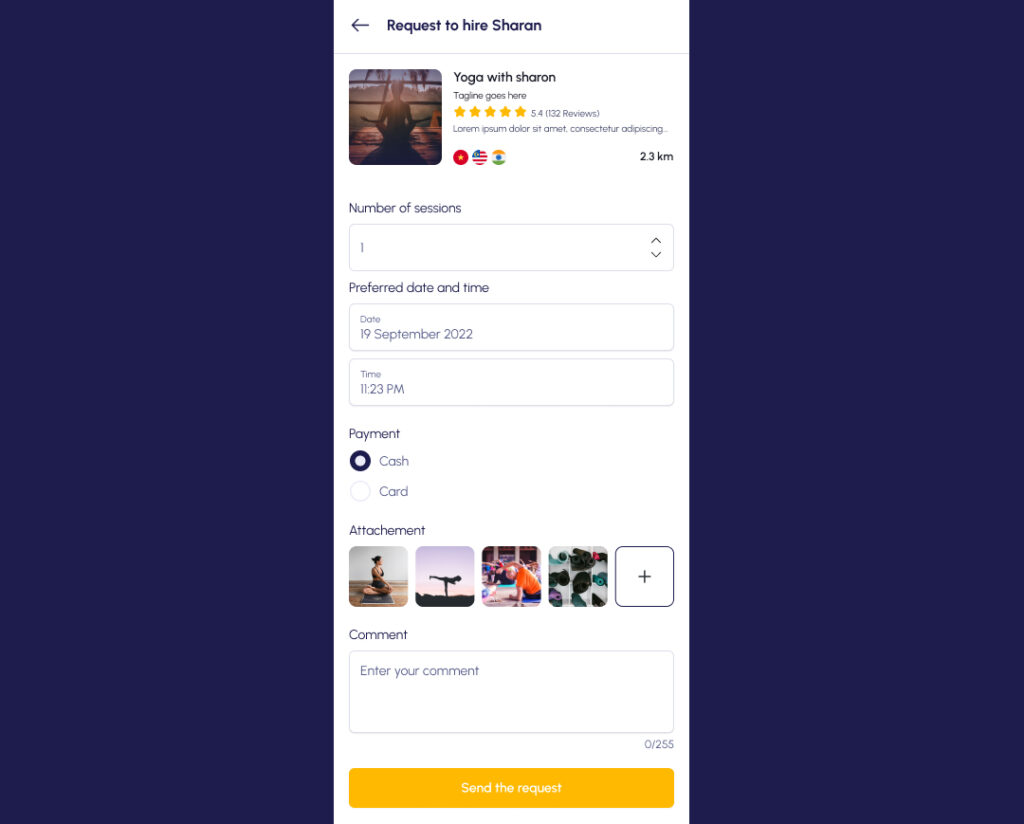
- When using Zonar, you can send or receive a request to hire a service provider.
- “Approve request” to proceed with the Expert or “Reject request” to cancel.
- You may specify details like sessions, date, time, and payment method.
Receiving a Price Quotation:
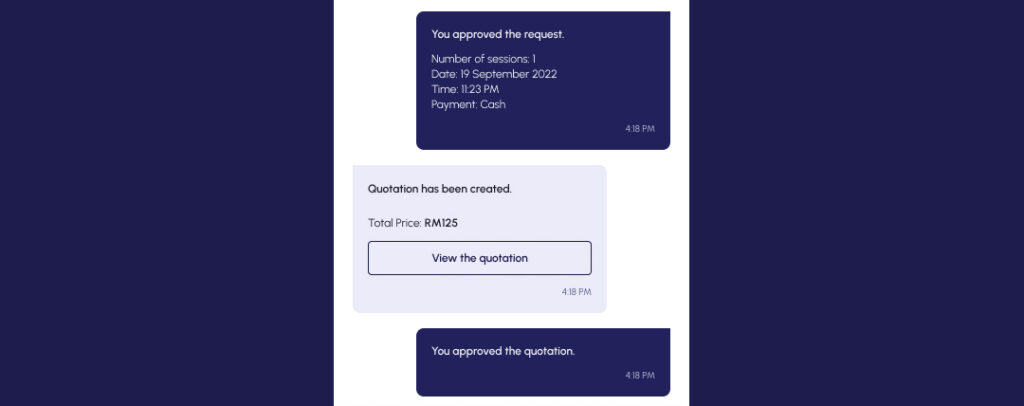
- If approved, the Expert may send a price quotation.
- Negotiate to match your budget or approve the given quotation.
Confirming Job Completion:
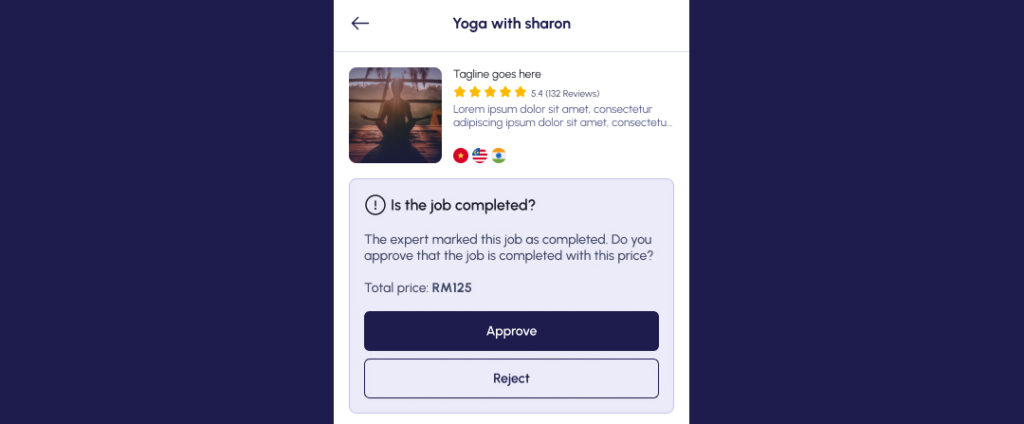
- On the day of service, receive a “Job completion” prompt.
- Confirm if the service was conducted as agreed.
Receiving Your Invoice:
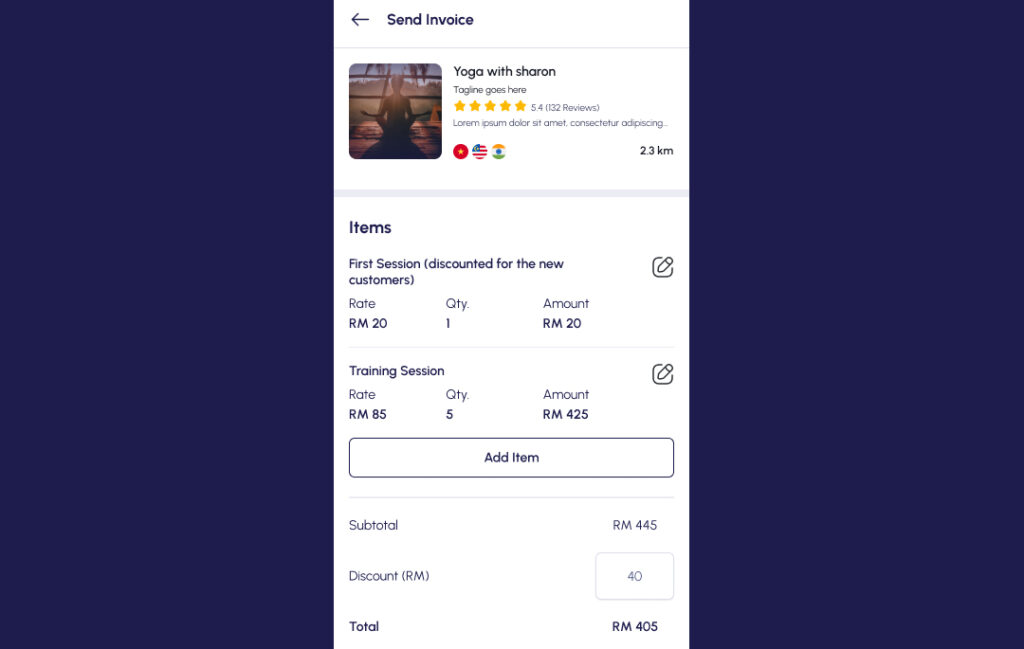
- Once a service has been completed, the Expert may send you an invoice for the service done. Please check to make sure the details are accurate to what you have paid!
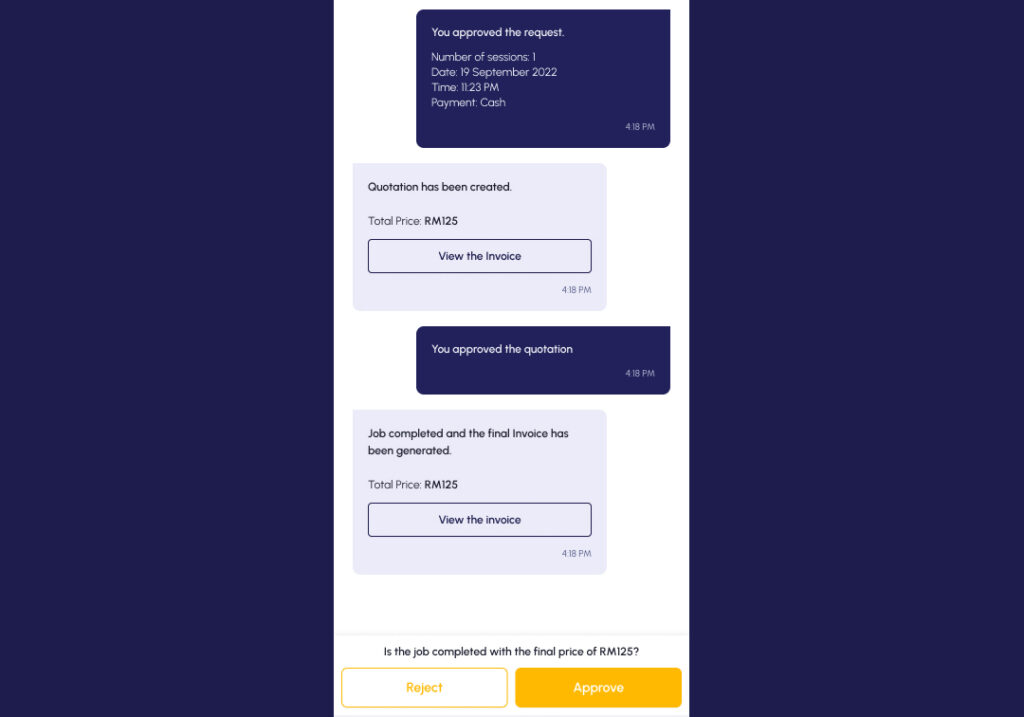
- After receiving an invoice from the Expert, you must approve it if the details are correct.
- If the details are incorrect, kindly Reject them and ask the Expert to resubmit the correct invoice.
Making Post-Service Edits:
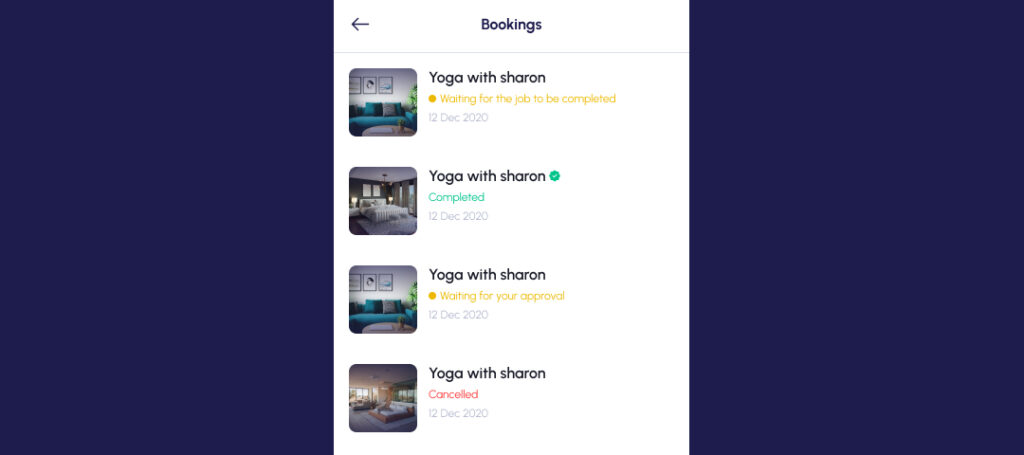
- Experts and users can edit the booking after completion.
- Manage all bookings in the booking management screen.
Cancel Bookings
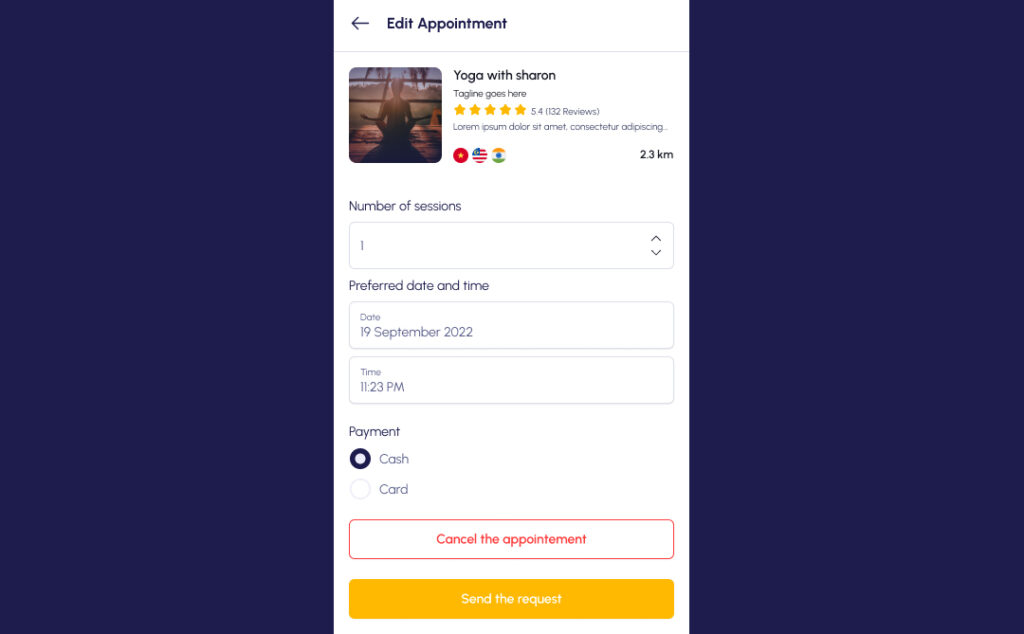
- To cancel bookings, edit your appointment and select “Cancel the appointment”.

- Kindly state the reason of your cancellation.
Booking services on Zonar is simple. Find an Expert, discuss the service and rates, send or receive a request to hire, approve or reject the request, negotiate or approve the price quotation, and confirm the service completion. Finally, both Experts and users can edit the booking after the service, and they can manage all bookings in the booking management screen.
Stay updated with Zonar by connecting with us on social media (Instagram , TikTok and Facebook) for additional tips and insights.


